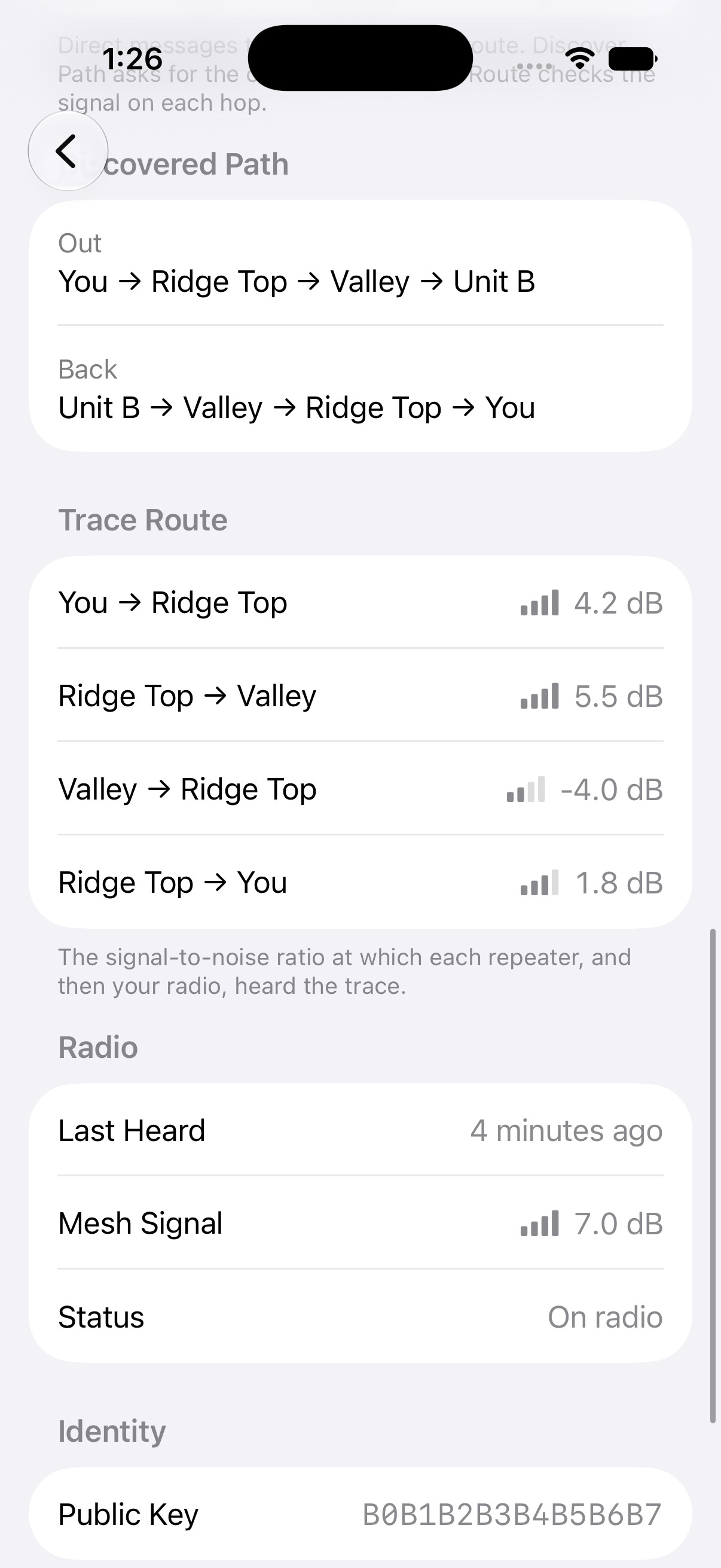
Trace & discover
Find the path.
Check every hop.
Trace a route through the mesh and find a path, with signal at every hop.
Hopgrid is a native iPhone and iPad app for MeshCore LoRa radios. Message friends with no cell signal, see every node around you, and watch each message hop its way to you across the mesh.
For iPhone and iPad. Pair with a MeshCore radio.
Hopgrid listens to every copy of a message your radio hears, so it can show the path it took: from the sender, through each repeater, to you.
The routes map beside a conversation, open on iPhone Duo.
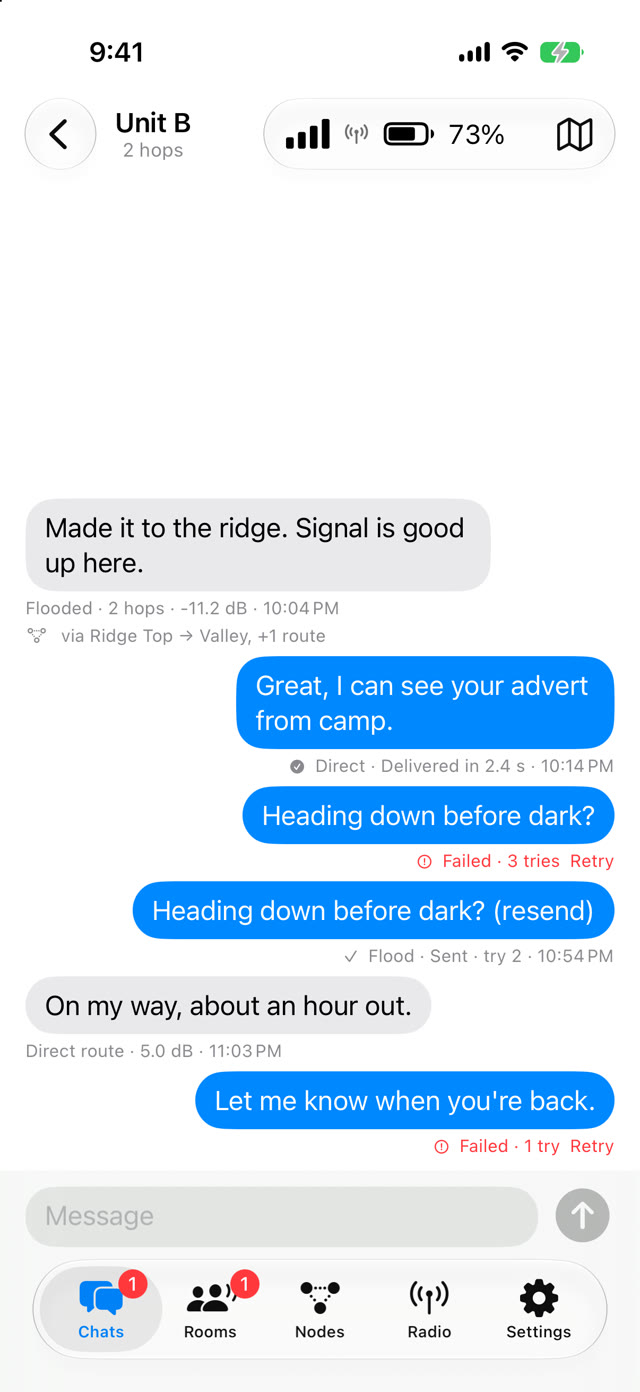
Direct messages, the Public channel and room servers all look and feel like the Messages app — with the details a mesh needs, one tap away.
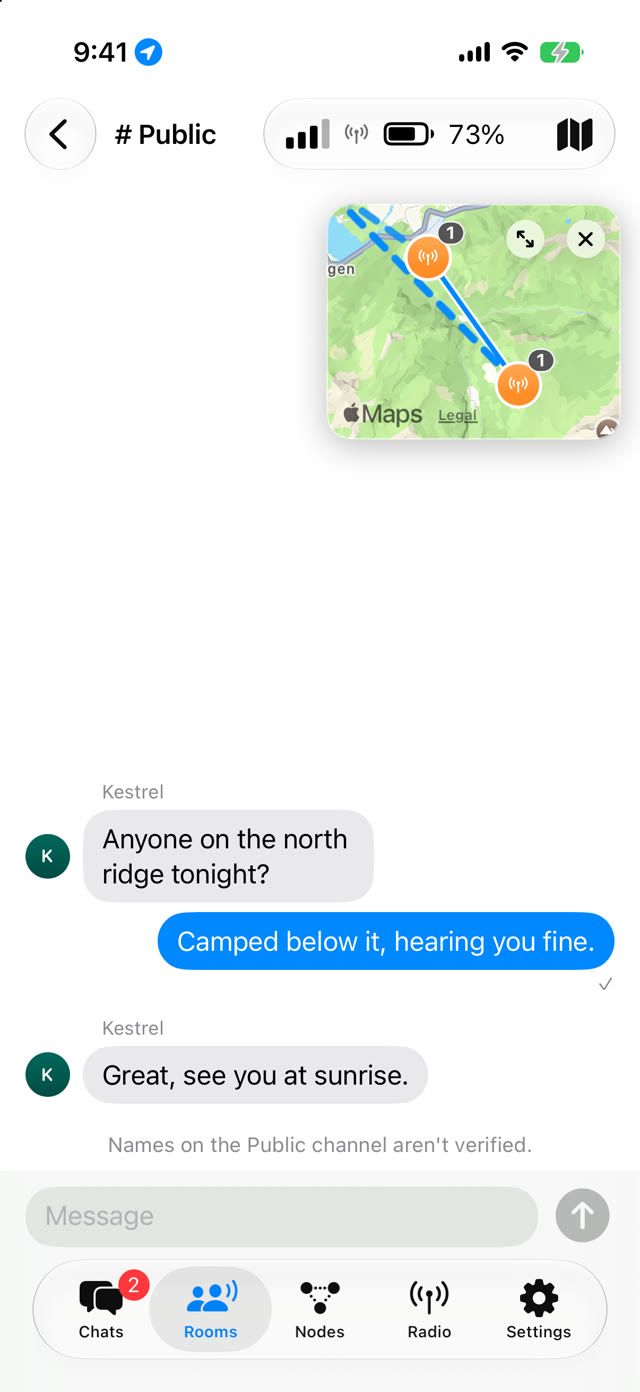
Open the map beside a thread on iPad and iPhone Duo, or float it over the conversation on iPhone, picture in picture. Drag it anywhere.
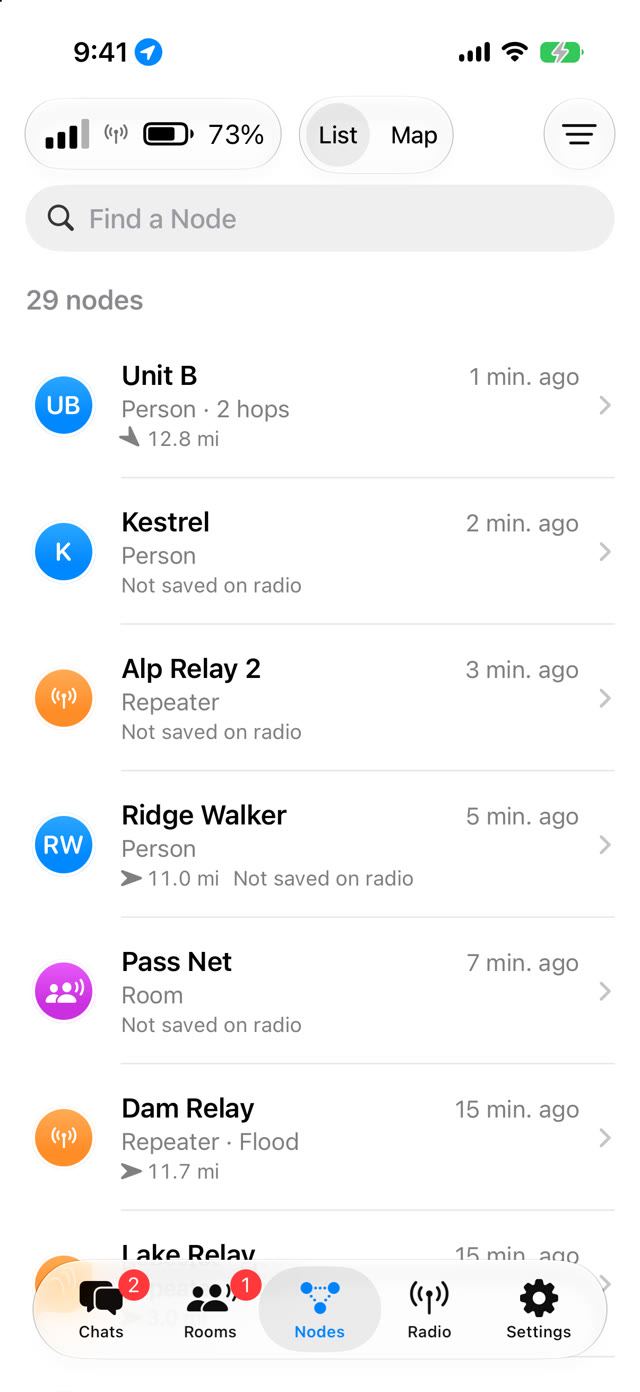
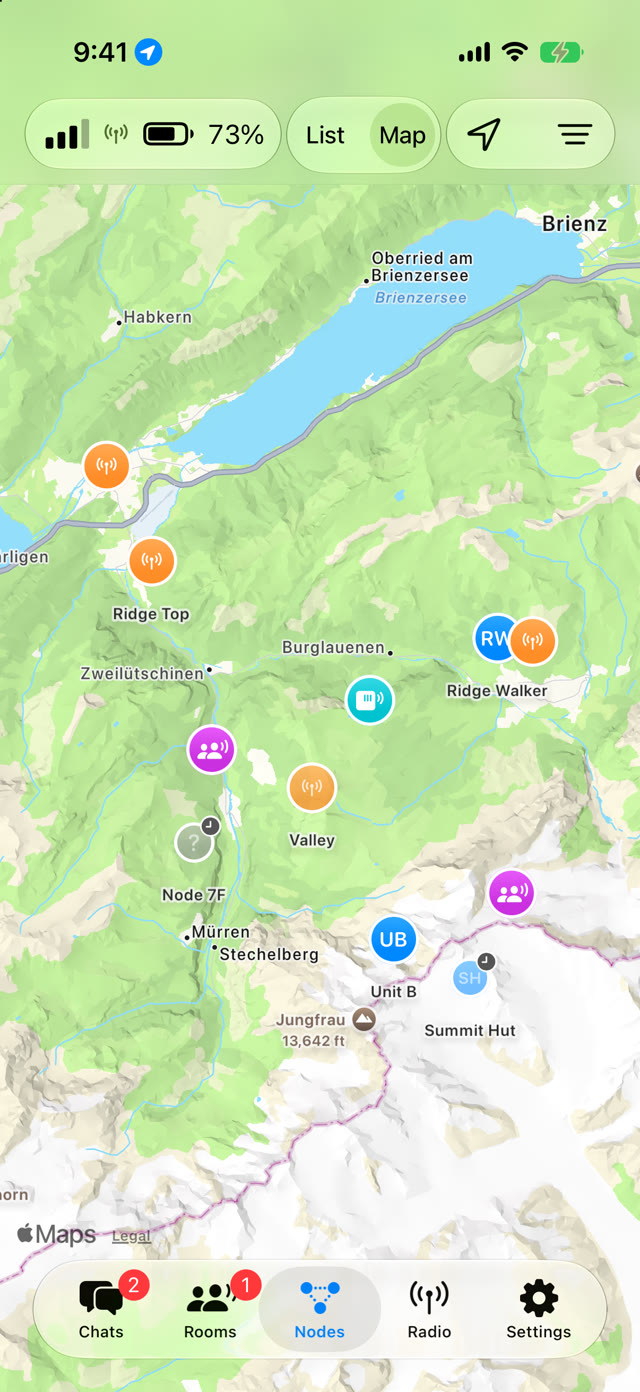
People, repeaters, rooms and sensors, on a list or a map. Find out who is near, how far, in which direction, and how many hops away.
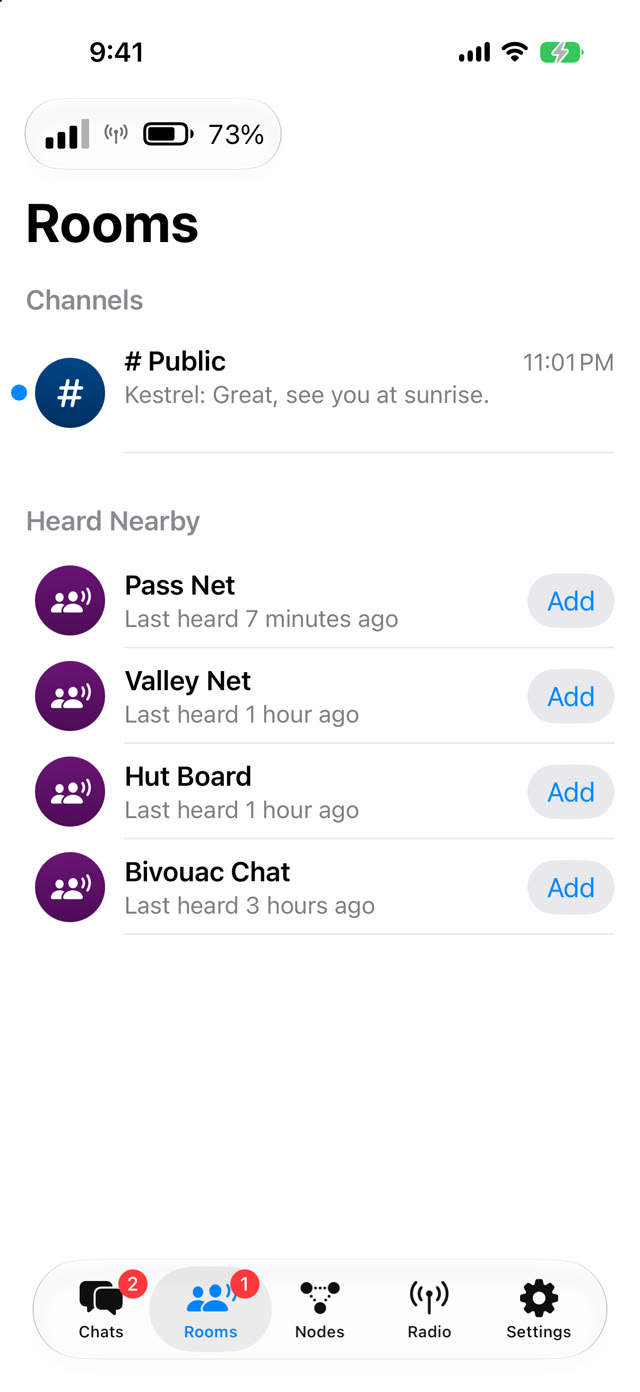
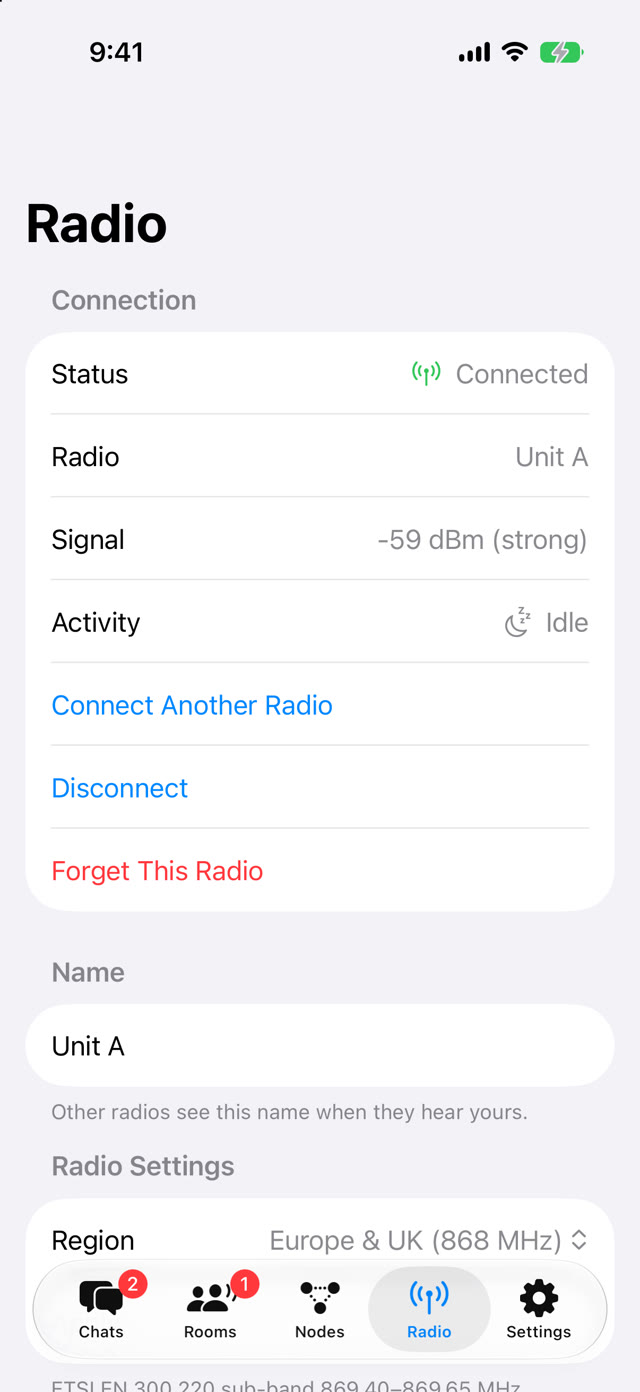
Join room servers as a guest or with a password, catch up on what you missed, and keep your radio’s settings in plain language.
The mesh toolkit
Follow a route. Check a repeater. Keep your people close. The tools to make the most of your radio, all in one place.
Trace & discover
Trace a route through the mesh and find a path, with signal at every hop.
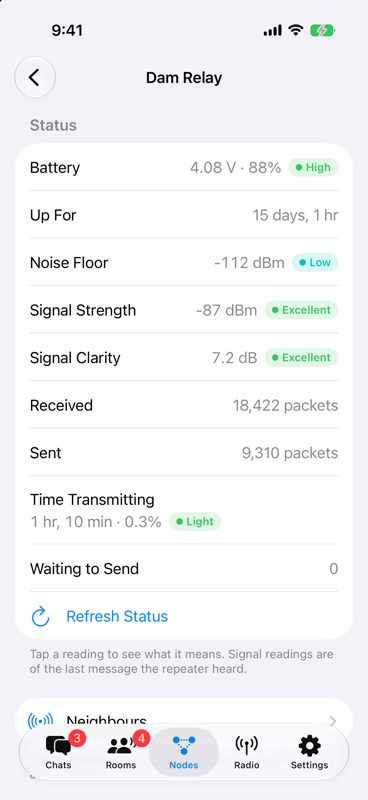
Repeater management
Log in over the mesh to check status, manage settings, and use the command line.
Stay in the conversation. Busy rooms are bundled into one notification.
Scan a friend’s QR code and add their radio in a second.
Keep your people on the radio, so they’re never pushed out.
Share your radio’s GPS with the contacts you choose.
One app that adapts to every screen, folded or open.
Filter and share a readable connection log when you need it.
Your message history is stored on your device. Hopgrid connects to your radio over Bluetooth and does not report app data back to us. There is no account to create.
Read the privacy policyMeshCore is open-source firmware for small LoRa radios. The radios pass messages to each other, and repeaters carry them further, so you can talk across kilometres with no cell network or internet at all.
An iPhone or iPad running iOS 27 or later, and a MeshCore radio running the Companion (Bluetooth) firmware. You can flash it from the MeshCore web flasher.
Yes. Messages travel over the radio mesh only. Map backgrounds come from Apple Maps, so they need a connection to load, but your messages never do.
Yes. Hopgrid remembers the radios you have paired and keeps a separate history for each one.
Every feature is free. An optional tip in Settings helps fund development and testing with real radios.
Join the Hopgrid beta on TestFlight. Open the link on your iPhone or iPad and follow Apple’s instructions to install TestFlight and Hopgrid. Pair with a compatible MeshCore radio to get started.

Hopgrid. A MeshCore app that feels like it belongs on your iPhone.
Join the TestFlight beta